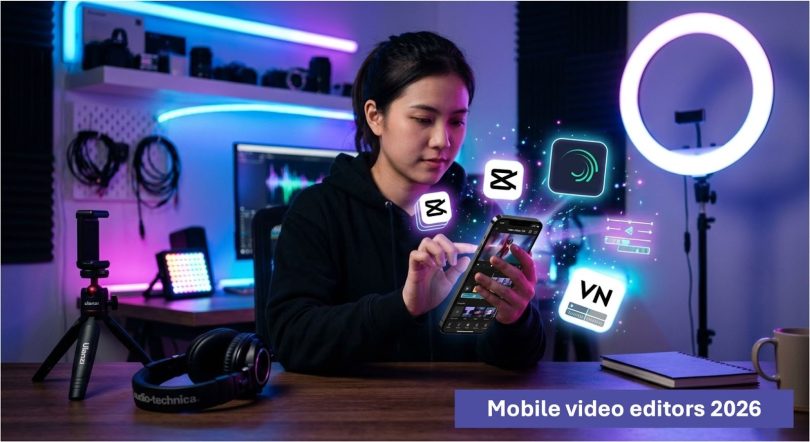

In today’s content-driven world, mobile video editing has become more powerful than ever. Whether you’re a YouTuber, TikTok creator, Instagram influencer, or just someone who loves making videos, having the right editing app on your phone can make a huge difference. Among the many options available, three apps consistently stand out: CapCut, Alight Motion, and VN Video Editor. Each offers a unique set of features tailored to different types of creators.
This article breaks down what makes these three apps some of the best mobile video editors, helping you decide which one suits your needs.
CapCut: The All-in-One Editor for Everyone
CapCut has quickly become one of the most popular mobile video editing apps, especially among short-form content creators. Developed with simplicity and power in mind, it strikes a perfect balance between beginner-friendly design and advanced editing capabilities.
One of CapCut’s biggest strengths is its ease of use. The interface is clean and intuitive, making it easy for beginners to jump in and start editing right away. You can trim clips, add transitions, insert text, and apply filters without any steep learning curve. Everything is laid out in a way that feels natural, even if you’ve never edited a video before.
What really sets CapCut pro apk apart is its rich library of effects and templates. You get access to trending transitions, visual effects, and pre-made templates that are perfect for platforms like TikTok and Instagram Reels. This means you can create professional-looking content in minutes without needing advanced editing skills.
CapCut also offers powerful features like keyframe animation, speed control (including smooth slow motion), background removal, and auto captions. These tools are usually found in more advanced software, yet CapCut makes them accessible to everyone.
Another major advantage is that CapCut is completely free, with no watermark in most cases. This makes it an excellent choice for creators who want high-quality output without spending money.
However, CapCut is heavily optimized for short-form content. While you can edit longer videos, it truly shines when creating quick, engaging clips for social media.
Alight Motion: Advanced Editing and Motion Graphics
If you’re looking for more control and creative flexibility, Alight Motion is a powerful option. Unlike many mobile editors, it focuses heavily on motion graphics and animation, making it ideal for creators who want to push their editing skills further.
Alight Motion mod apk is often compared to desktop-level software because of its advanced features. It supports multiple layers for graphics, video, and audio, allowing you to build complex compositions directly on your phone. You can animate almost anything using keyframes, giving you precise control over movement, opacity, effects, and more.
One of its standout features is vector graphics support. This means you can create and edit shapes and designs within the app, which is especially useful for animators and designers. Combined with its visual effects and blending modes, Alight Motion opens the door to highly creative edits that go beyond basic video cutting.
The app also includes a wide range of effects, color correction tools, and animation presets. If you’re into making cinematic edits, logo animations, or stylized content, Alight Motion gives you the tools to bring your vision to life.
However, this power comes with a learning curve. Beginners may find the interface a bit overwhelming at first. It takes time to understand how layers, keyframes, and effects work together. But once you get the hang of it, the possibilities are nearly endless.
Another thing to note is that the free version includes a watermark, and some features are locked behind a subscription. Still, for serious creators, the investment can be worth it.
VN Video Editor: Professional Editing Made Simple
VN Video Editor is often described as a perfect middle ground between simplicity and professional capability. It offers many advanced features while keeping the interface clean and easy to use.
One of VN’s biggest advantages is its timeline-based editing system, which feels similar to desktop software like Premiere Pro. This makes it a great choice for users who want more control over their edits without switching to a computer.
VN video editor allows you to work with multiple video layers, add smooth transitions, and apply detailed cuts with precision. You can also adjust speed curves, create custom animations, and use keyframes for more dynamic edits. These features make it suitable for both short-form and long-form content.
Audio editing is another area where VN shines. You can easily add background music, sound effects, and voiceovers, and fine-tune them with volume controls and fades. This makes it a strong option for YouTube creators who need clean and professional audio.
The app also includes a good selection of filters, effects, and text tools. While it may not have as many trendy templates as CapCut, it focuses more on giving you full creative control over your project.
One of VN’s standout features is that it is completely free with no watermark. This is a huge advantage for creators who want professional-quality videos without paying for a subscription.
In terms of performance, VN is smooth and reliable, even when working with larger projects. It handles longer videos better than many other mobile editors, making it a great choice for vlogs, tutorials, and storytelling content.
Which One Should You Choose?
Choosing the best mobile video editor depends on your goals and experience level.
If you’re a beginner or someone who wants quick, trendy edits for social media, CapCut is the easiest and most convenient option. It’s fast, simple, and packed with ready-to-use effects that make your videos stand out.
If you’re more advanced or interested in animation and motion graphics, Alight Motion is the most powerful tool. It gives you unmatched creative control, but it requires time and effort to master.
If you want a balance between professional editing and ease of use, VN Video Editor is a fantastic choice. It’s especially good for longer videos and creators who want a clean, watermark-free experience.
Final Thoughts
Mobile video editing has come a long way, and apps like CapCut, Alight Motion, and VN Video Editor prove that you don’t need a computer to create high-quality content. Each of these apps brings something unique to the table, whether it’s simplicity, advanced animation, or professional editing tools.
The best approach is to choose the one that matches your style and workflow. You might even find yourself using more than one app depending on the type of content you’re creating.
In the end, it’s not just about the tool it’s about how you use it. With the right app and a bit of creativity, your phone can become a powerful video editing studio.